mirror of
https://github.com/dfinke/ImportExcel.git
synced 2026-02-16 08:34:38 +00:00

PowerShell Import-Excel
This PowerShell Module wraps the .NET EPPlus DLL (included). Easily integrate reading and writing Excel spreadsheets into PowerShell, without launching Excel in the background. You can also automate the creation of Pivot Tables and Charts.
Know Issues
- Only one pivot table can be added. Investigating how EPPlus saves the target file.
What's new
4/13/2015
- You can add a title to the Excel "Report"
Title,TitleFillPattern,TitleBold,TitleSize,TitleBackgroundColor- Thanks to Irwin Strachan for this and other great suggestions, testing and more
4/10/2015
- Renamed
AutoFitColumnstoAutoSize - Implemented
Export-MultipleExcelSheets - Implemented
-Passwordfor a worksheet - Replaced
-Forceswitch with-NoClobberswitch - Added examples for
Get-Help - If Pivot table is requested, that sheet becomes the tab selected
4/8/2015
- Implemented exporting data to named sheets via the -WorkSheename parameter.
Examples
gsv | Export-Excel .\test.xlsx -WorkSheetname Services
dir -file | Export-Excel .\test.xlsx -WorkSheetname Files
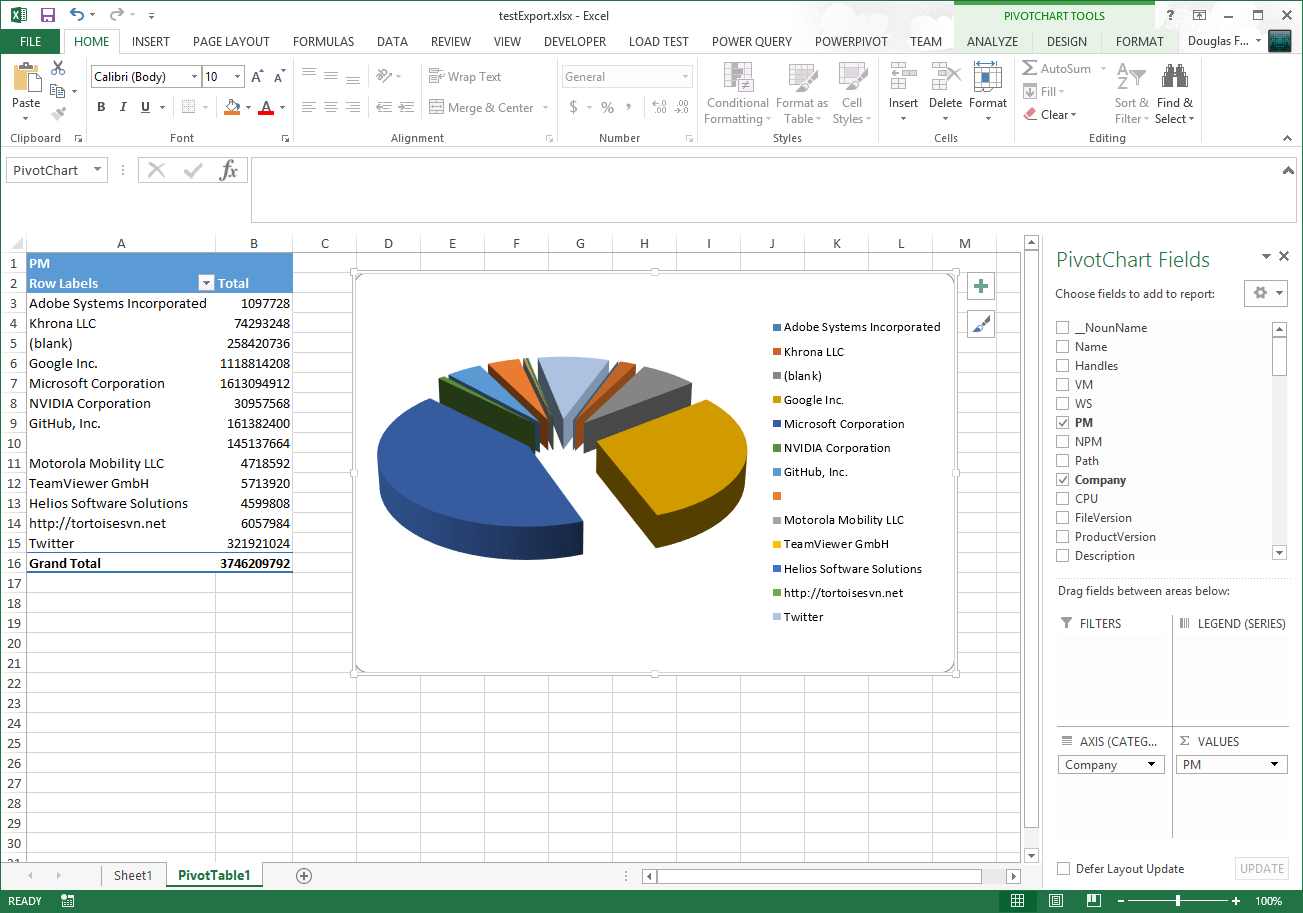
ps | Export-Excel .\test.xlsx -WorkSheetname Processes -IncludePivotTable -Show -PivotRows Company -PivotData PM
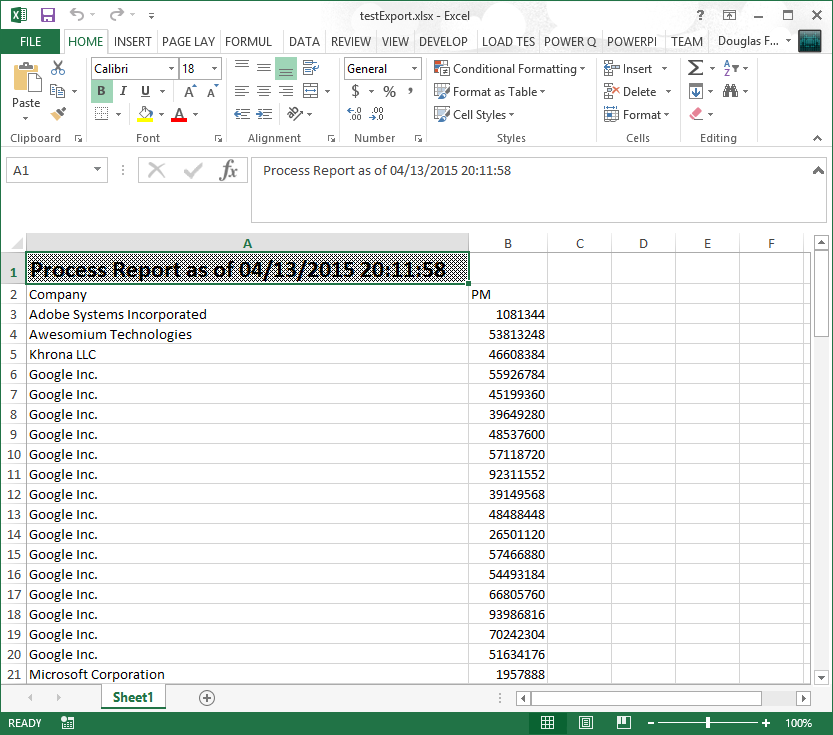
Example Adding a Title
You can set the pattern, size and of if the title is bold.
$p=@{
    Title = "Process Report as of $(Get-Date)"
    TitleFillPattern = "LightTrellis"
    TitleSize = 18
    TitleBold = $true

	Path  = "$pwd\testExport.xlsx"
    Show = $true
    AutoSize = $true
}

Get-Process |
    Where Company | Select Company, PM |
    Export-Excel @p
Example Export-MultipleExcelSheets
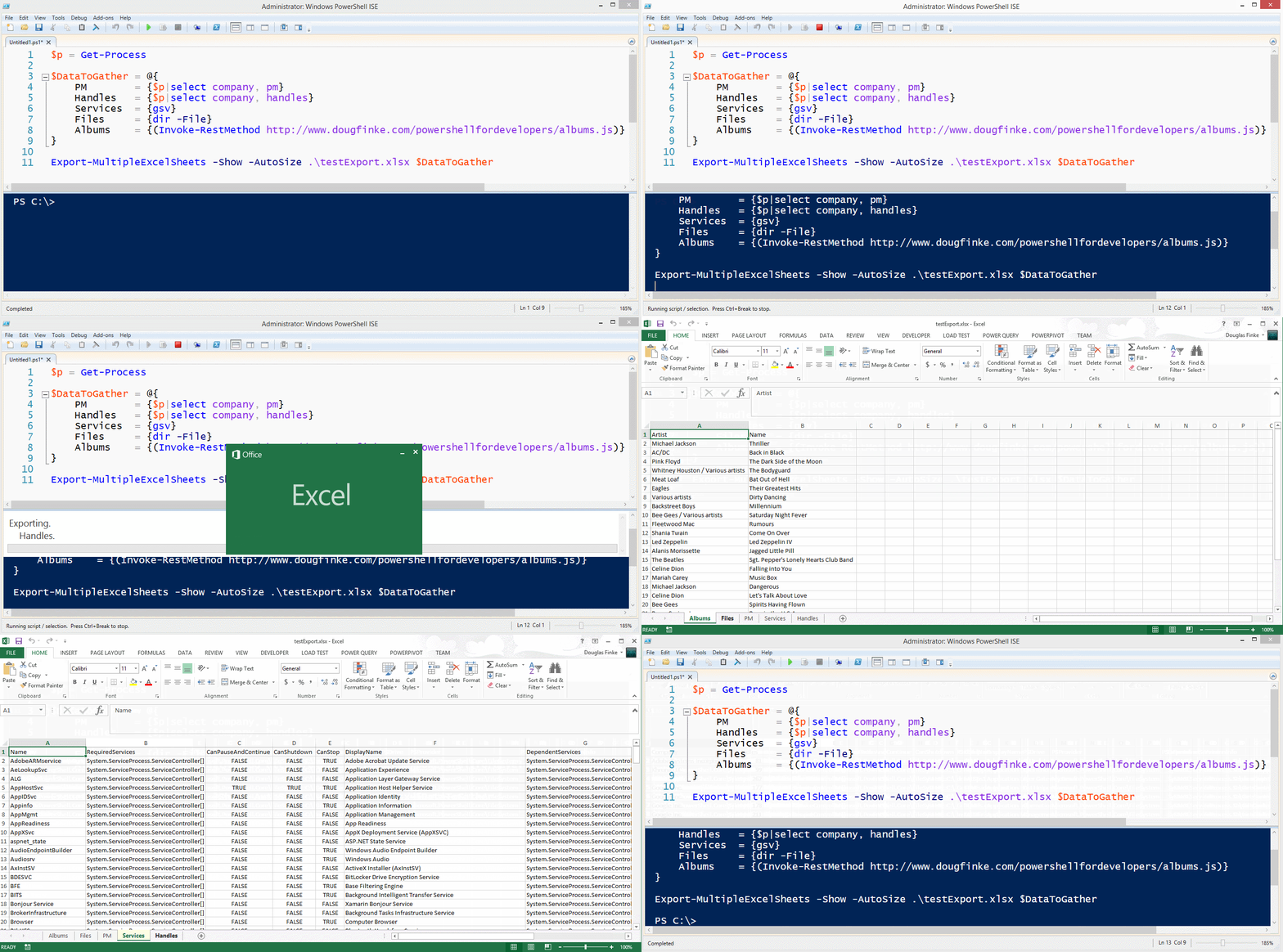
$p = Get-Process

$DataToGather = @{
    PM        = {$p|select company, pm}
    Handles   = {$p|select company, handles}
    Services  = {gsv}
    Files     = {dir -File}
    Albums    = {(Invoke-RestMethod http://www.dougfinke.com/powershellfordevelopers/albums.js)}
}

Export-MultipleExcelSheets -Show -AutoSize .\testExport.xlsx $DataToGather
NOTE If the sheet exists when using -WorkSheetname parameter, it will be deleted and then added with the new data.
Get-Process Exported to Excel
Total Physical Memory Grouped By Company
PowerShell Excel EPPlus Video
Click on this image to watch the short video.

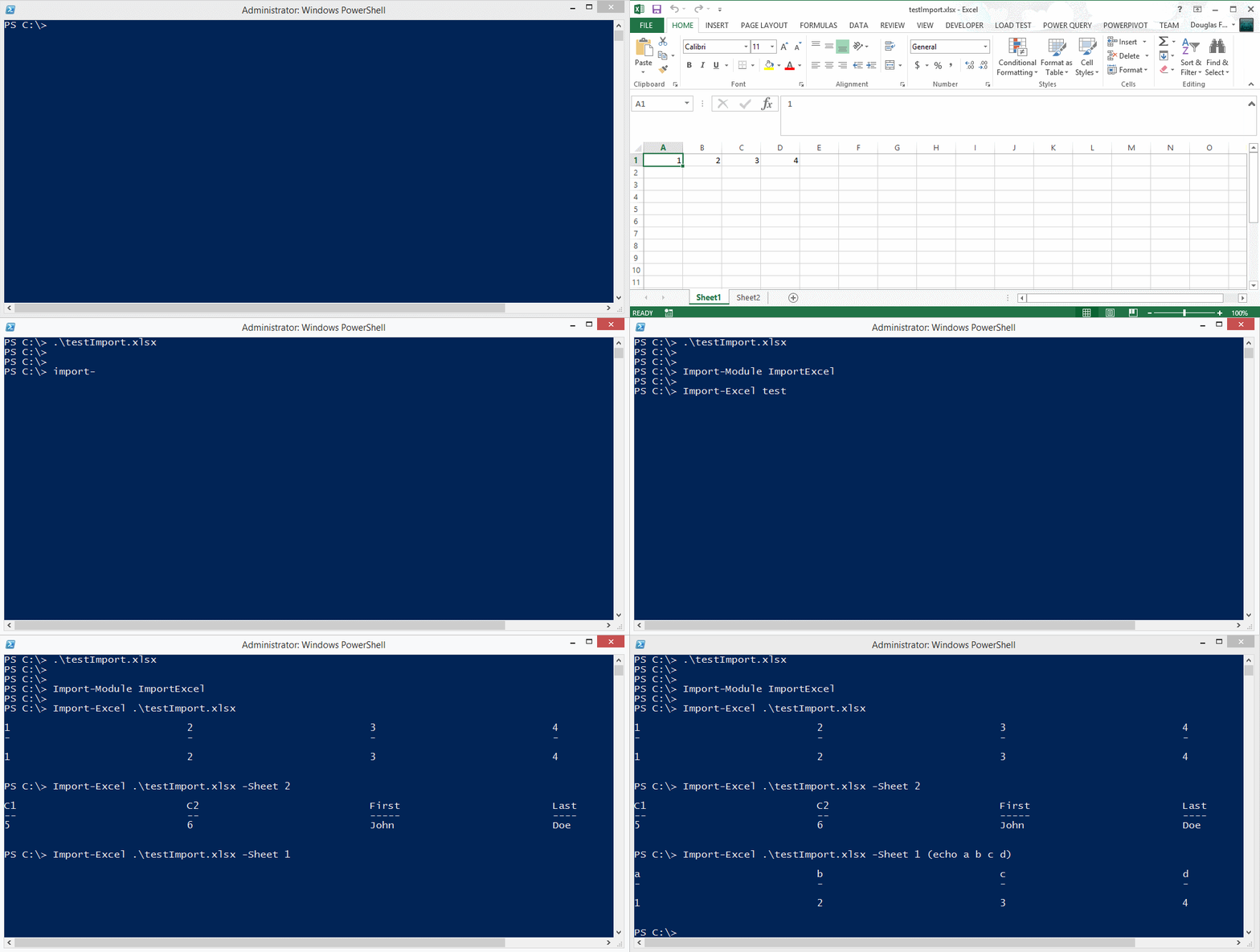
Importing data from an Excel spreadsheet
You can also find EPPLus on Nuget.